Boards/UI/7seg4-tm1637: Unterschied zwischen den Versionen
Tw (Diskussion | Beiträge) (Die Seite wurde neu angelegt: „right|thumb|200px|AVR Prototype Board right|thumb|200px|AVR Prototype Board File:7-Seg-rot.jpg|right|thumb…“) |
Tw (Diskussion | Beiträge) |
||
| Zeile 1: | Zeile 1: | ||
| − | [[File:7-Seg-blau.jpg|right|thumb| | + | [[File:7-Seg-blau.jpg|right|thumb|150px|AVR Prototype Board]] |
| − | [[File:7-Seg-grün.jpg|right|thumb| | + | [[File:7-Seg-grün.jpg|right|thumb|150px|AVR Prototype Board]] |
| − | [[File:7-Seg-rot.jpg|right|thumb| | + | [[File:7-Seg-rot.jpg|right|thumb|150px|AVR Prototype Board]] |
__NOTOC__ | __NOTOC__ | ||
== LED 7 Segment Anzeige == | == LED 7 Segment Anzeige == | ||
| Zeile 8: | Zeile 8: | ||
Die Ansteuerung des TM1637 erfolgt über ein serielles Protokoll. | Die Ansteuerung des TM1637 erfolgt über ein serielles Protokoll. | ||
| + | |||
| + | <gallery mode="traditional" widths=160px heights=160px perrow=7 caption=""> | ||
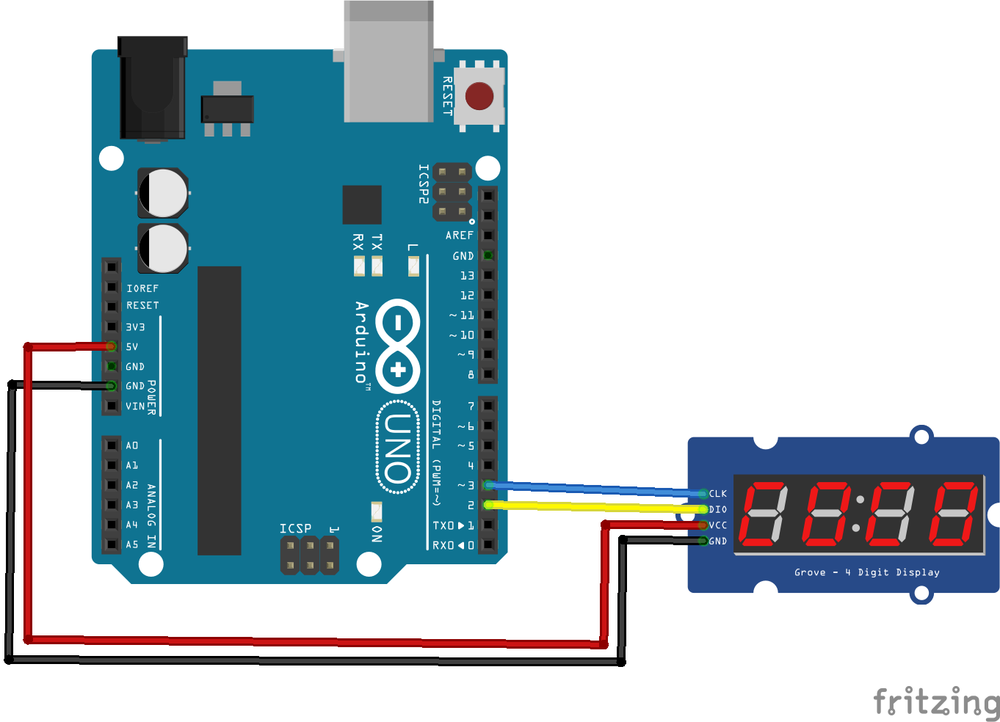
| + | Image:4digit7-tm1637.jpg.png | ||
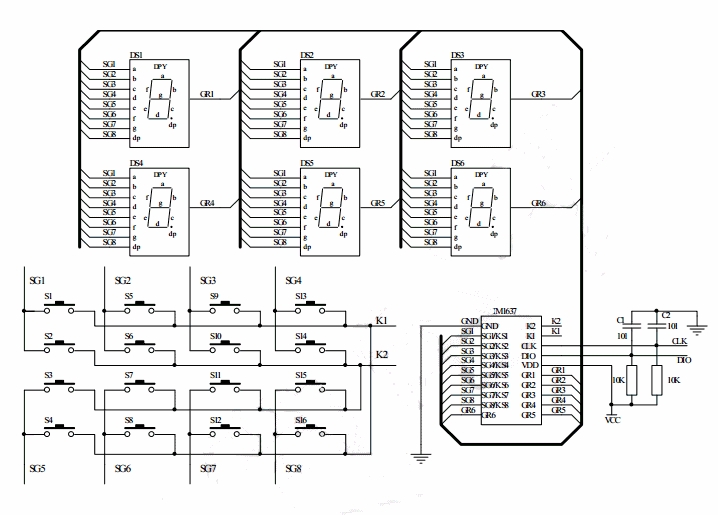
| + | Image:TM1637 allgemeine Schematic | ||
| + | </gallery> | ||
<br /> | <br /> | ||
Version vom 27. September 2019, 11:05 Uhr


LED 7 Segment Anzeige
Mit diesem kleinen Board kann man schnell und einfach Werte darstellen. Das Board gibt es in verschiedenen Farben. Die LED sind hell und schön anzuschauen. Ein TM1637 kümmert sich um die Ansteuerung der LED, daher muss sich der Controller nur um die Änderungen kümmern.
Die Ansteuerung des TM1637 erfolgt über ein serielles Protokoll.
- TM1637 allgemeine Schematic

Specifications
- 7 Segment Anzeige 4-stellig
- LED 0,56"
- TM1637 Chip
- 5V Technik
- Board Maße: 45 x 23 mm
Dokumentation